Omarchy packages a particular way of using a Linux desktop into an Arch-based install: Hyprland for tiling, Quickshell for the shell, a selected application set and a managed update route. Version 4.0.0 moves more of that experience into a single Quickshell process.[1][3][6]
A desktop policy, not a new package universe
The word “opinionated” is concrete here. Omarchy selects a window-management model, a shell, shortcuts, themes and applications, then supplies its own configuration and update path. The project’s security documentation says the default package sources are Arch’s core, extra and multilib repositories plus the Omarchy Package Repository; it says AUR use is optional rather than part of the base installation.[5]
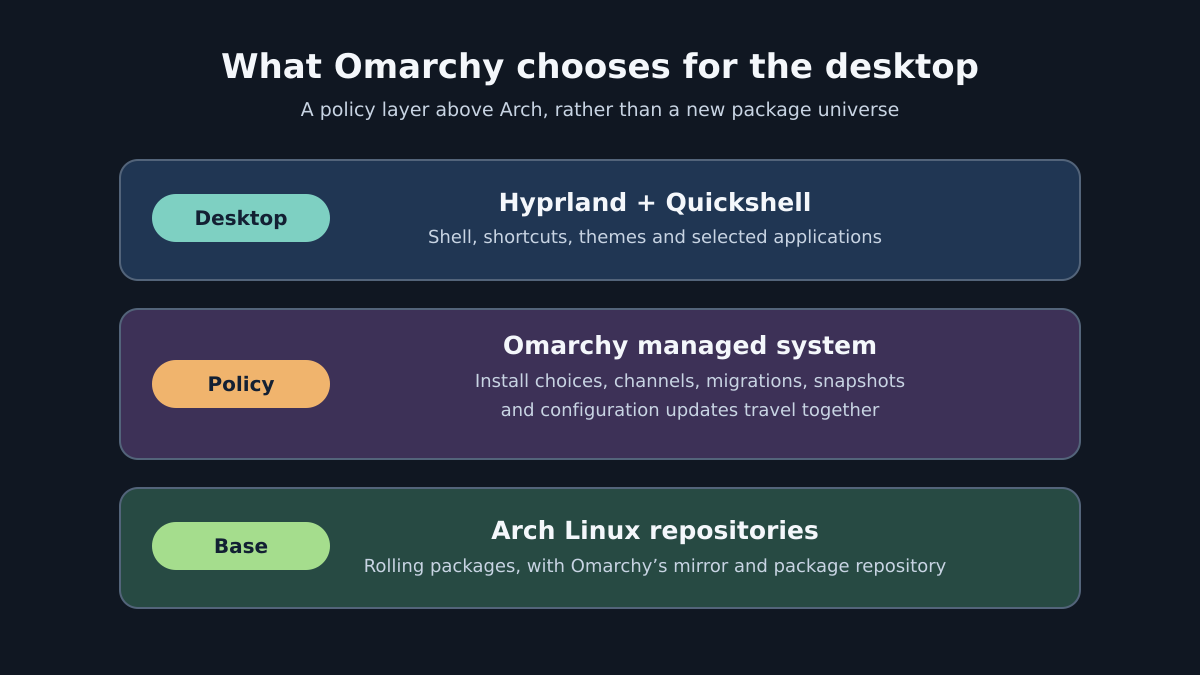
That makes the stack easier to describe in layers. Arch describes its own model as a rolling release and a minimal base system configured by the user.[7] Omarchy adds an installation and maintenance policy. Hyprland and Quickshell sit at the visible desktop layer.[1][3][5]
Updates are the centre of the proposition
The project says its own components are regular pacman packages. Its managed update route installs the current Omarchy release, applies pending migrations and updates system packages from its mirror and, where relevant, the AUR.[3] The manual also documents four channels: stable, RC, edge and dev. New installs begin on stable, which it says uses official releases and a mirror one month behind the latest Arch packages to allow time for compatibility fixes.[3]
That detail is more informative than a list of preinstalled tools. Arch’s own description is a minimal base system configured by the user, rather than a preset desktop model.[7] Omarchy’s documentation describes a bundled transaction instead: release changes, migrations, configuration updates and a recovery point are meant to travel together.[3] This is an editorial synthesis of the documented workflow, not a measurement of reliability.
The release notes for version 4 also say that Omarchy moved its internals from a git-based model to system packages, separating user modifications from the managed system.[6] That is a maintenance design claim from the project. A current open user report describes an Omarchy 4.0.1 migration failure on a system that had pinned an earlier Qt version; it is a version-specific report, not evidence that all stable updates fail.[9] A prospective user should inspect the exact release, channel, held packages and current known issues before treating it as a stable interface.
Recovery has a useful but narrow boundary
Omarchy says it automatically creates a snapshot on every update. Its snapshot manual says restoration returns the root filesystem but not /home, and leaves ~/.config as it was.[4] The same page limits the feature to installations using the Limine boot loader, the default since Omarchy 2.0.[4]
This is the project’s documented recovery model, not a verified result for every installation. A current open issue reports a specific Omarchy 4.0.0 Btrfs and Limine configuration in which the reported restore path fails; an older 3.5.1 issue reports unexpected changes in /home after restore.[8][12] Both are user reports, not independent confirmation. Anyone relying on rollback should test an update and restore on the exact release, channel, filesystem, boot path and drive layout they plan to use, with disposable data and a separate backup.
Installation choices are part of the policy
The installer uses an ISO and offers either a full-disk installation or a free-space installation for dual boot. The manual states that encryption is the default and that the full-disk choice wipes the selected drive; it also instructs installers to turn off Secure Boot and/or TPM in firmware before installation.[2] Encryption is the default, but the same manual documents an intentional no-encryption path for protected remote machines or disposable installations.[2] The security page’s “mandatory” wording therefore describes the normal security model, not an unconditional installer fact.
Its security page also says incoming firewall traffic is blocked by default except for the LocalSend port, and that SSH remains off until enabled. It describes LUKS full-disk encryption as mandatory on the standard encrypted install.[5] These are first-party statements. This article has not audited a live installation or compared the configuration against another distribution.
An assessment grid for a trial installation
The original contribution of this article is a decision criterion, assembled from the project’s installation, update and recovery records. It avoids treating visual preference as the whole product.
| Question to test | Evidence to inspect | What the result tells you |
|---|---|---|
| Can the hardware follow the installer’s firmware requirements? | The project’s ISO instructions, including the Secure Boot and TPM note.[2] | Whether a trial is compatible with the machine’s current boot policy. |
| Is the managed update route acceptable? | Stable, RC, edge and dev channel descriptions; the managed update sequence.[3] | Whether the user accepts Omarchy’s release and mirror choices. |
| Is the recovery boundary sufficient? | A controlled update, snapshot boot and restore, with a disposable test file in /home.[4] | Whether root rollback is useful for the intended maintenance model, without confusing it with file backup. |
| Are the desktop defaults a fit? | Hyprland, Quickshell and the selected applications named in the manual and release notes.[1][6] | Whether adopting the preset saves setup time or creates configuration work. |
The grid does not rank Omarchy against other Linux distributions. It separates four questions that can otherwise be compressed into the word “opinionated”: boot policy, update ownership, recovery scope and desktop defaults. A virtual machine can explore the desktop defaults and non-destructive workflow. Boot policy, firmware, graphics, network, storage and dual-boot acceptance require a disposable installation on the target hardware or an equivalent physical test system. Open user reports describe an NVIDIA plus Realtek live-ISO/first-boot problem and a cross-disk dual-boot failure; they are reports with stated configurations, not compatibility rates.[10][11]
Sources
- Welcome to Omarchy! — The Omarchy Manual
- Getting Started — The Omarchy Manual
- Updates — The Omarchy Manual
- System snapshots — The Omarchy Manual
- Security — The Omarchy Manual
- Release v4.0.0 — Omarchy
- About Arch Linux
- Issue #8047: snapshot rollback report
- Issue #8438: update migration report
- Issue #7061: NVIDIA and Realtek boot report
- Issue #7263: cross-disk dual-boot report
- Issue #5361: /home restore report
 read0nly