A small stock counter needs a quantity. Before giving that quantity a name, check what Python sees: the number 3 and the text "3" can look identical when printed. Their types explain the difference.
Inspect four values
Save this as values.py. Each item inside print(...) is a value. The first four lines display values; the remaining lines use type(...) to inspect them. With one argument, type returns the value's type.[3]
print(3)print(3.5)print("3")print(True)print(type(3))print(type(3.5))print(type("3"))print(type(True))
Run it from the folder containing the file, using the terminal launcher already checked in the previous lessons. These examples were tested with Python 3.14.9 on Linux:
python3 values.py
33.53True<class 'int'><class 'float'><class 'str'><class 'bool'>
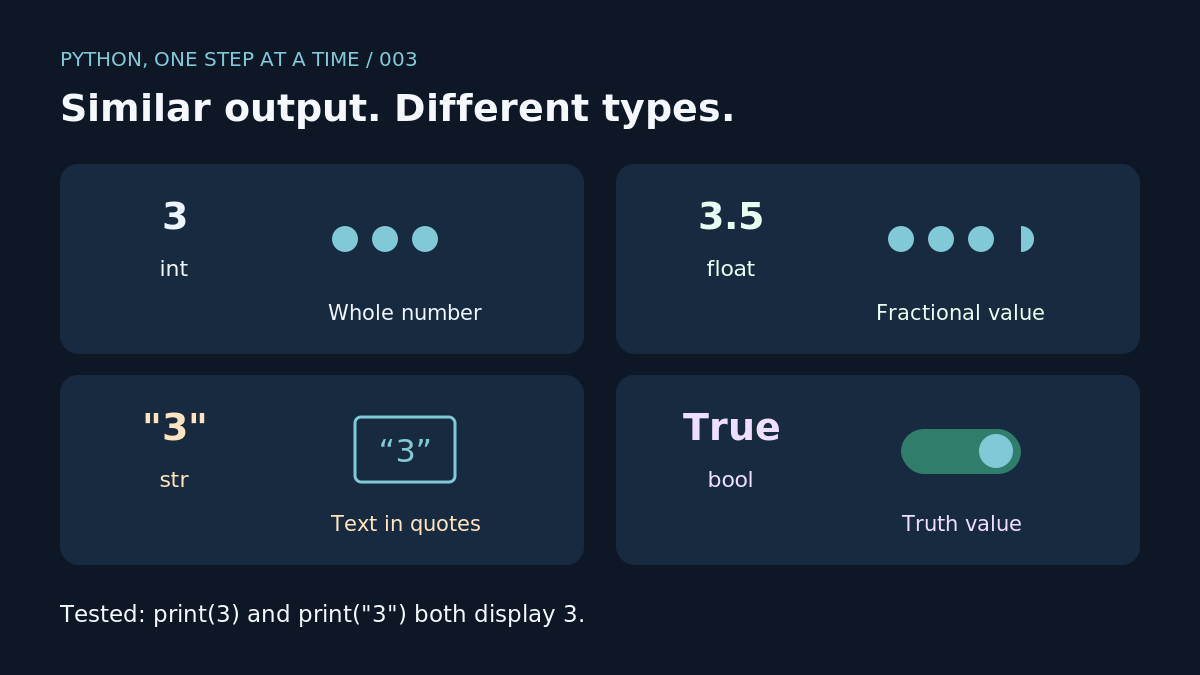
The type names int and float identify integers and floating-point numbers.[1] Here, 3 is a whole number and 3.5 has a fractional part. Use a full stop for the decimal point, as shown in the tested file.
str identifies text, called a string. Keep its quotation marks in the source file. The output shows that print displays the contents of "3" without those marks.
bool represents a truth value. Its two values are True and False, with those exact capitals.[2] Decisions using them come later.
The same symbol, different work
Try this second file:
print(3 + 2)print("3" + "2")
python3 addition.py
532
The first line adds numbers. The second joins strings; Python uses + for string concatenation.[1] The result 32 is the joined text from this example.
A common mistake
Mixing "3" + 2 raised TypeError in our test. Keep both operands as numbers when you want addition. Converting between text and numbers comes in a later lesson.
Floating-point values also have precision limits: many decimal fractions have only approximate binary representations.[4] We will return to that when calculations need closer attention.
Your turn
Replace the four inspected values with 12, 12.0, "12" and False. Predict each type, then run the file. Our check produced int, float, str and bool, in that order. Next: variables and assignment, so the stock counter can keep a named quantity.

