A counter starts at zero, then records one more item. In Rust, a variable declared with let is immutable by default: once assigned, its value cannot be changed through that binding.[1] A counter needs an explicit permission to change.
Give the counter permission
Use Rust and Cargo from the previous lesson. These examples were tested on Linux ARM64 with rustc 1.99.1 and Cargo 1.99.1. Create a fresh project, then open its counter folder in your editor and terminal.
cargo new --vcs none counter
$ cargo new --vcs none counter Creating binary (application) `counter` packagenote: see more `Cargo.toml` keys and their definitions at https://doc.rust-lang.org/cargo/reference/manifest.htmlexit=0
Replace src/main.rs with this complete programme. The word mut makes count mutable, allowing later assignments to the same variable.[1] Keep that permission close to the declaration so it is visible when you read the code.
fn main() { let mut count = 0; println!("{count}"); count += 1; println!("{count}");}
The declaration gives count its initial value. For this integer counter, count += 1 adds one and stores the result back in count; += combines addition with assignment.[3] The two print statements let us see the value before and after that change.
Run the programme from the counter folder. In the captured terminal session below, the lines after the command are its output; exit records the process status.
cargo run --quiet
$ cargo run --quiet01exit=0
The programme printed 0, then 1. Each run started from the declaration again, so this example did not retain a total between runs.
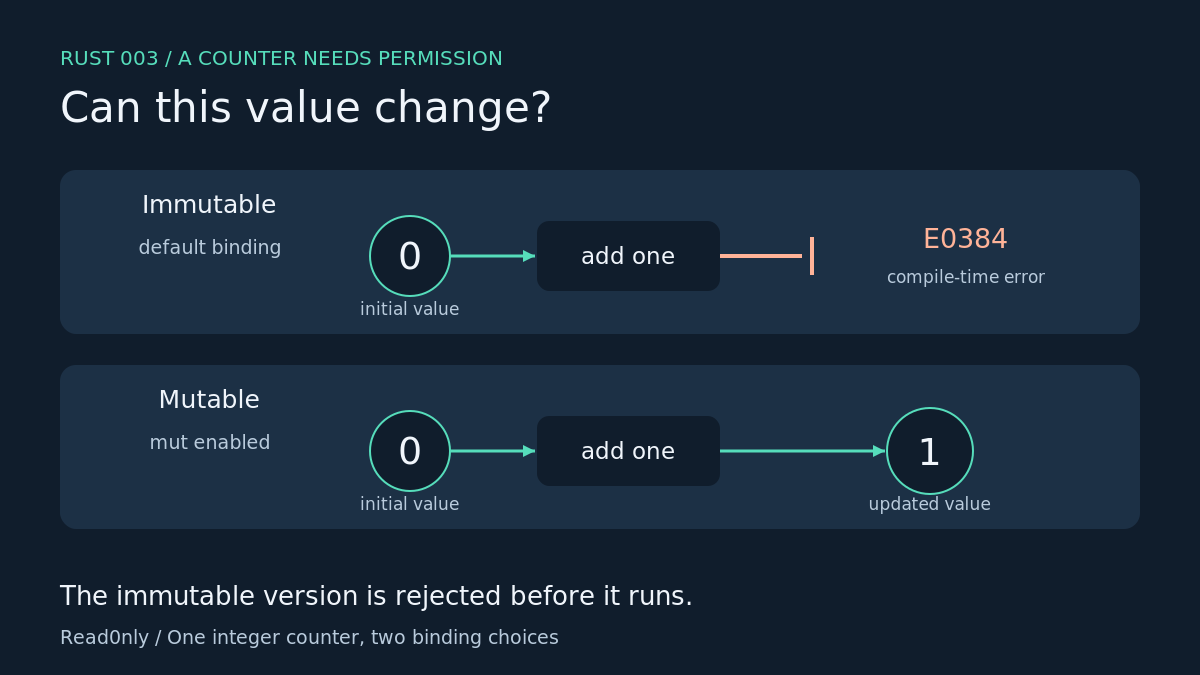
A common error: leaving out mut
Replace src/main.rs with this deliberately failing version. Only the declaration has changed.
fn main() { let count = 0; println!("{count}"); count += 1; println!("{count}");}
cargo check --quiet
$ cargo check --quieterror[E0384]: cannot assign twice to immutable variable `count` --> src/main.rs:4:5 |2 | let count = 0; | ----- first assignment to `count`3 | println!("{count}");4 | count += 1; | ^^^^^^^^^^ cannot assign twice to immutable variable |help: consider making this binding mutable |2 | let mut count = 0; | +++For more information about this error, try `rustc --explain E0384`.error: could not compile `counter` (bin "counter") due to 1 previous errorexit=101
Our check failed with E0384 at the attempted update. The compiler’s suggestion points back to the declaration. E0384 means that an immutable variable was reassigned.[2] Restore mut before continuing.
Keep variables immutable when their values should stay fixed. Add mut when the programme needs to update them.[1] Reading a value or printing it does not itself require a mutable binding.[1]
Exercise
Restore the working version, change the increment to count += 2, and run it again. Expect 0 followed by 2. Leave the initial value at zero so you can isolate the effect of that one edit.
Next: choosing types for integers, floating-point numbers and booleans.
Browse Rust, one step at a time


Leave a Reply