A stock counter becomes more useful when someone can enter the starting quantity. Ask for a value, convert the answer and add two incoming items. This complete program needs no earlier lesson files.
Ask for a quantity
The input() function reads a line and returns a string, removing the trailing newline.[1] Even when someone types digits, the result is text. The int() function can construct an integer from a string representing a whole number.[1] Save this as stock.py:
text = input("Items in stock: ")stock = int(text)print(stock + 2)
python3 stock.py
Items in stock: 5
Run the command from the file's folder, using your working Python launcher. When the prompt appears, type 3 and press Enter. The Output block shows captured standard output; the supplied input is recorded separately and is not echoed there. An interactive terminal normally displays your typing after the prompt.
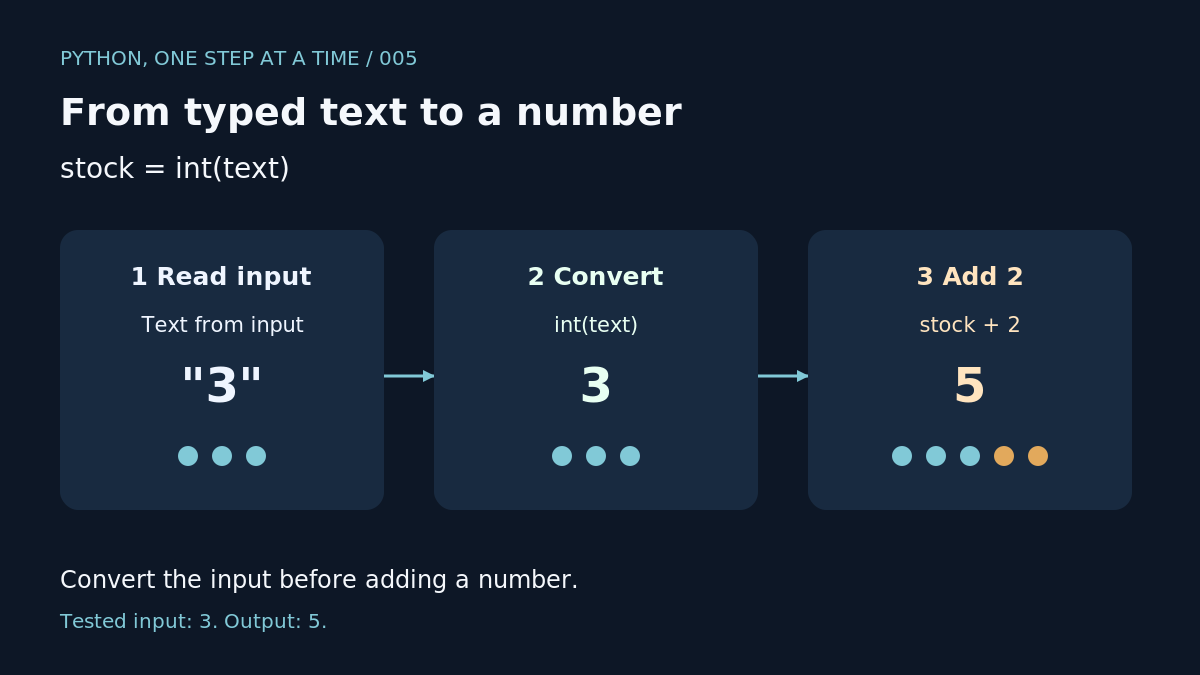
Our examples were tested with Python 3.14.9 on Linux, with no extra packages. In this run, text holds "3", stock holds 3, and the calculation prints 5. The quotation marks in this explanation identify text; type just the digit at the prompt.
Allow a decimal
Use float() to construct a floating-point number from suitable text.[1] Try this separate file:
text = input("Weight in kg: ")weight = float(text)print(weight + 0.5)
python3 weight.py
Weight in kg: 3.0
Enter 2.5. Our test adds half a kilogram and prints 3.0. Use a full stop for this decimal input: our separate 2,5 test raised ValueError.
A common mistake
Our test of text + 2 raised TypeError because it combined the input string with an integer. Convert the answer before doing this calculation.
Conversion can also fail. Entering three, 3.5 or an empty answer into the stock example raised ValueError in our checks. For now, rerun it with a whole-number answer. Handling invalid answers comes later.
Your turn
Change the stock program to add four items. Enter 8 and predict the result before running it. Our exercise check printed 12. Next: reading your first traceback to locate a failing line.

