A stock counter should print five, but a mistyped variable stops it. The traceback gives us a place to investigate. We will read the message, compare two names and rerun a corrected file. Everything needed is below.
Make the mistake visible
Save these three lines as broken.py, then run the command from its folder using your working Python launcher:
stock = 3incoming = 2print(stok + incoming)
python3 broken.py
Traceback (most recent call last): File "/opt/data/read0nly-python-course/episodes/006/broken.py", line 3, in <module> print(stok + incoming) ^^^^NameError: name 'stok' is not defined. Did you mean: 'stock'?
This is the captured error output from Python 3.14.9 on Linux, with no extra packages. The folder prefix belongs to our test machine. Your path and suggestion wording may differ.
Read from the bottom
The final line gives the exception type and its detail.[1] Here, NameError means Python could not find a local or global name.[2] Our message identifies stok. Line 1 assigned stock, with a c.
The preceding traceback supplies the execution context and source lines.[1] In this run, the File entry names broken.py and reports line 3. The repeated source line shows the failing calculation; the carets beneath stok focus attention on that name. The label <module> refers here to the file's top-level code.
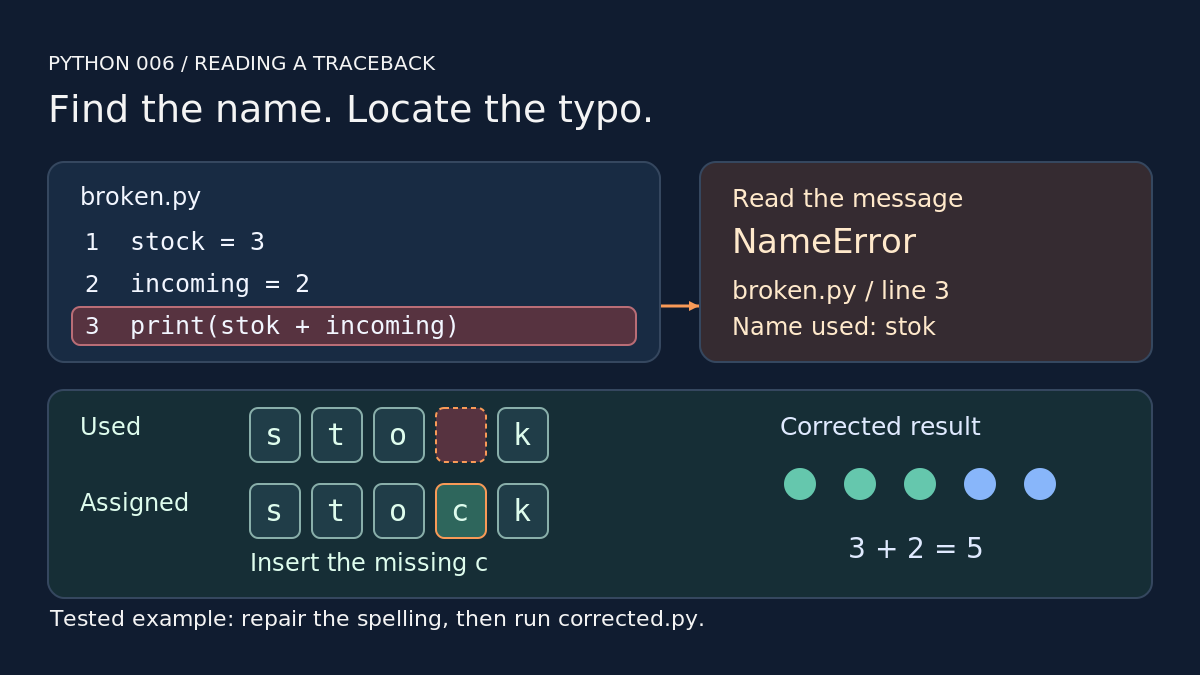
Use the error type to understand the complaint, then inspect the named line and the values or names it uses. Our typo is in line 3, so change stok to stock. Save the complete corrected version as corrected.py:
stock = 3incoming = 2print(stock + incoming)
python3 corrected.py
5
Our rerun printed 5 and finished successfully.
A common trap
The reported location tells you where execution failed. Compare it with earlier assignments before changing anything. In our exercise check, misspelling the assignment on line 1 made the error appear on line 3, where the intended name was used.
Syntax errors have a different presentation: Python reports where parsing detected a problem, which can differ from the place needing repair.[1] We will leave exception handling for a later module.
Your turn
In the corrected example, change only line 1 to stok = 3. Predict the failing line, then run it. Restore the matching name and check for 5. Next: comparisons and Boolean values.

